Mykonos Island Voxels
Building games
Best on desktopBuilding games in this collection use different placement systems. IsoCity works with isometric tiles, while Mykonos Island Voxels lets you arrange an island scene. Neither requires real city data or a construction account.
Start with a small layout to learn placement and view controls, then add details. Inspect the save behavior on the game page; saving a creative scene locally is different from bookmarking the game in My games.
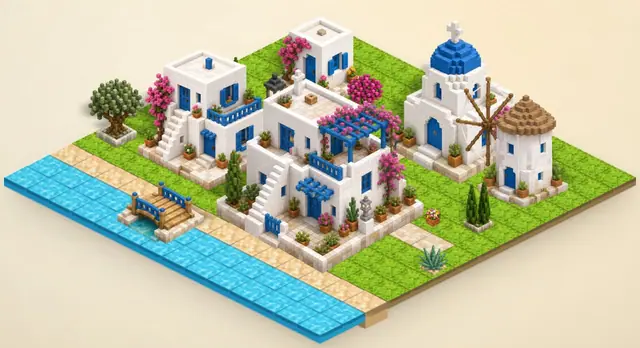
Build a small island at your own pace in Mykonos Island Voxels. Choose terrain, trees, and buildings from the panel on the right, then place them on the grid to shape a scene. This quiet creative toy has no score or required objective. Your island is saved on this device automatically, and you can save it manually with S.
Choose an item on the right and click a cell to place it; drag to build continuously. Right-click to erase. Shift-drag to pan, scroll to zoom, and press S to save manually.
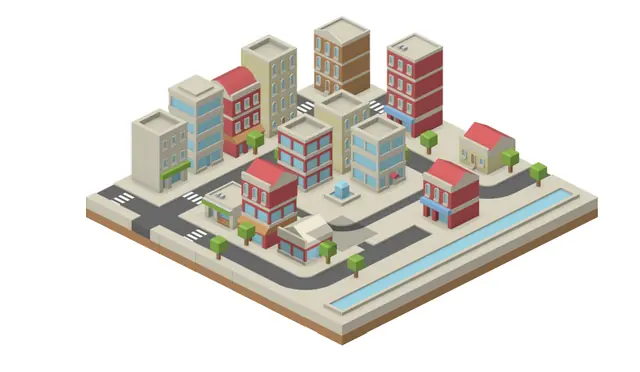
Build a miniature city one tile at a time. Place roads, water and buildings to make a small world of your own.
Choose a tile from the toolbar and click the map to place it. Combine roads, buildings, trees and water.
Creative browser games let you make a scene or test an idea without requiring a single correct answer. You can begin with a few objects, observe the result and change it at your own pace.
IsoCity and Mykonos Island Voxels offer different kinds of building play. IsoCity focuses on an isometric scene, while the voxel game gives you a block-based environment to explore and change. Choose by the kind of scene and interaction you want, then read the selected edition's tools and controls. A building game label does not imply an engineering simulation, a campaign objective or automatic scoring. Some of the enjoyment comes from making a visible change and judging the result yourself. If you prefer reacting to a moving system or managing a network under an objective, compare the simulation category. The individual game description is the reliable place to find out what you can actually build in the version available here.
Choose a small visible part of the scene and decide what you want to change before selecting a tool. Place or alter one object, inspect the result from the available view and check whether the operation matches your intent. This gives you a way to learn a tool without making a large scene hard to recover or understand. Read any instructions for clearing or resetting before using them; do not assume that every browser building game has an undo command. A creative scene is also different from a saved account preference on Cozcade. Favoriting a game records a way to return to it, not a backup of the world you made inside it. Check the edition's own saving behavior before relying on progress surviving a browser reset.
Compare the decisions you enjoy making: selecting pieces, arranging a scene, exploring a space or changing a block-based environment. Look at the tools you actually used rather than treating a large scene as proof that a game is better for your purpose. Start two small experiments with a similar goal and note how easily each control scheme helps you reach it. The building game guides offer practice and review prompts for the listed editions; they do not convert one game's scene into another or store a cross-game result. Check device support as well, because a mouse-oriented tool can behave differently from a touch input. Related creative and simulation categories are useful alternatives when the current building mechanic is not the kind of play you want.