Elevator Saga
Coding games
Best on desktopCoding games put an editor beside a visible problem. You can enter a rule, run it and see what changes without setting up a development environment. Small edits are easier to understand than a large answer copied all at once.
Coding games
Best on desktop
Coding games
Best on desktop
Coding games
Best on desktop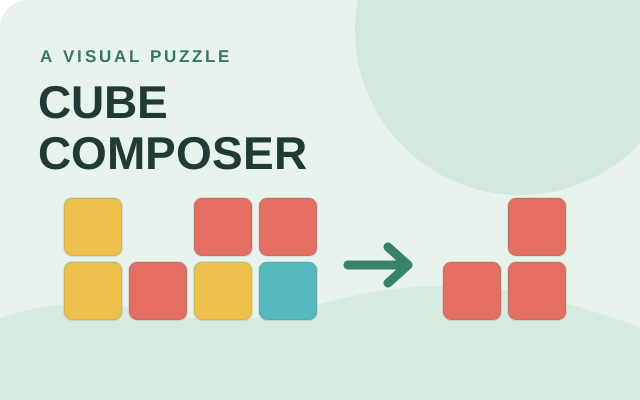
Puzzle games
Best on desktop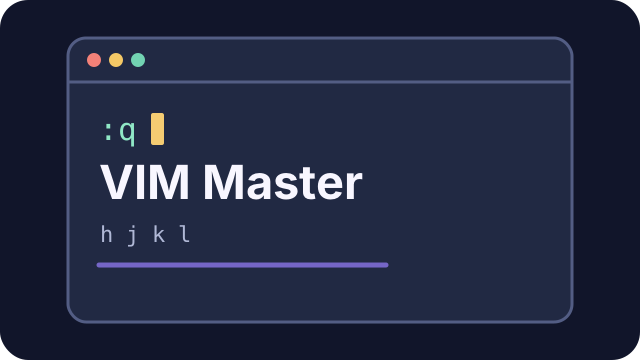
Coding games
Best on desktopChoose Flexbox Froggy for flexbox, Grid Garden for CSS grid, or Elevator Saga for JavaScript control logic. Each teaches a different concept, and the in-game instructions matter more than reusing an answer from another game.
Program the elevators of a busy building. Write short JavaScript instructions to keep passengers moving and solve each challenge.
Edit the JavaScript init and update functions, then press Start. Use the API reference to move elevators efficiently.
Help little frogs reach their lily pads using CSS flexbox. Each level turns a layout rule into a playful logic puzzle.
Read the goal for each level, then type CSS into the editor. Complete the layout to unlock the next puzzle.
Grow a garden by guiding water to carrots with CSS grid. Solve each layout puzzle and make the garden flourish.
Read the goal for each level, then type CSS into the editor. Complete the layout to unlock the next puzzle.
Cube Composer is a visual puzzle game about composing functions. Change, remove and rearrange colored cubes until your result matches the target. This edition has 25 puzzles and saves progress in the current browser when storage is available.
In puzzle 0.1, choose Change yellow to red. In puzzle 0.2, choose Remove yellow. In puzzle 0.3, use Remove yellow followed by Add yellow on top. Use the arrows to reorder steps, Clear to start the current program again and Next puzzle to continue. The game interface is in English.
VIM Master is an interactive keyboard game for learning Vim commands in short lessons. Work through movement, editing and search exercises in a simulated editor; your progress stays in this browser.
Choose Start Learning and click the editor. In the first lesson, type :q and press Enter. Continue to the next lesson and use h / j / k / l to move the cursor. Use Reset Level to restart the current exercise. The game interface is in English and requires a keyboard.
These games provide a focused task you can solve and repeat. They are practice experiences rather than certificates or a full course. Read each game’s goal and compare the visible result after changing your answer.
Choose the exercise by the concept you want to practise. Flexbox Froggy uses CSS flexbox rules to position items, while Grid Garden explores CSS grid placement. Elevator Saga uses JavaScript to control elevators, so it asks a different kind of coding question. These coding games focus on applying a rule and observing a visible result; they do not represent a complete programming course or issue a qualification. Start with the instructions for the current level, make a small change and compare the result with the goal. A successful answer in one game is not automatically a useful answer in another. Use the matching guide for controls, common mistakes and practice ideas before taking a concept back to your own project.
The answer must fit the particular objects and goal shown in that exercise. A CSS property can be valid but place an item incorrectly because the current level uses a different layout direction or grid arrangement. In a JavaScript exercise, valid syntax alone does not mean your control logic meets the scenario. Read the goal, inspect the visible result and change one relevant rule rather than adding unrelated declarations. Keep the game's own feedback separate from Cozcade's surrounding guide: the playable edition evaluates your answer. If a menu or code editor does not respond, focus the game and check desktop support. A layout that resembles an earlier level can still require a different decision because its starting conditions have changed.
Write a prediction before testing a change. For CSS, describe which item should move and why the property controls that position. For elevator logic, describe the event or condition your code should react to and the visible result you expect. After running the attempt, compare the result with your prediction and revise the explanation. The coding game guide's exercises are prompts for that comparison, not a tool that edits your answer or completes a level. Keep a successful rule tied to the situation where it worked instead of treating it as a universal snippet. When you later use the concept elsewhere, check the real layout or application requirements again. Playing a focused exercise can support learning without substituting for testing your actual code.