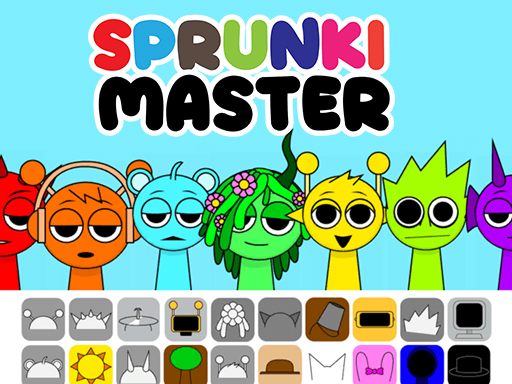
Start a mix in Sprunki Master
This page runs the Sprunki Master version supplied by GameMonetize. It is one specific music-mixing game: instructions or character lists for other Sprunki versions may differ. You do not need a Cozcade account to open it.
Connect to the external game, let it load, then press its blue Play button. The provider may show an advertisement before the character screen. Use the ad's own Skip control when it becomes available; the advertisement is separate from the game's Play button.
Add your first two characters
The mixing screen has seven gray characters and colored sound icons below them. Drag one icon onto a gray character. Its appearance changes when the sound is assigned. Start with one character so you can identify that part before adding another.
Drag a different icon onto a second gray character to layer your mix. Add one part at a time and compare the result. The goal is to experiment with combinations, rather than find a required answer or earn a score.
Start over or stop the game
The Restart control below Cozcade's player reloads the game. Press the game's Play button again to create a new mix.
Use Cozcade's Stop external game button to close the iframe and stop its connection. Reopening starts a new external game session. We have not verified cross-device saving or a cloud account for this version.
Loading, sound and device help
The initial download can take time. If the game remains on a loading screen, check your connection and try reloading once. If an advertisement is still running, wait for the provider's normal close or skip control.
If you hear no sound, check your device volume and the browser tab's mute setting, then click inside the game. Start at a low volume. Desktop Chrome dragging has been tested; mobile support is listed only when Cozcade has checked that device.
First-mix tips
- Try two characters before filling every slot.
- Change one part at a time to compare combinations.
- Use Restart when you want a clean starting point.
Sprunki Master questions
Is this the original Sprunki upload?
This is the Sprunki Master game distributed by GameMonetize, rather than a claim to host the original creator's upload. The source link identifies the exact supplied game.
Do I need to download a game or sign in?
No Cozcade account or separate installation is required. The external game loads its files in your browser after you choose to connect.
Why do I see an advertisement?
This version includes the provider's own advertising. Cozcade keeps that delivery intact. Use the advertisement's normal close or skip control when available.
Does every Sprunki guide apply to this version?
No. Sprunki versions can have different characters, controls and modes. This guide covers the Sprunki Master entry linked on this page.