 Play CORE RUSH
Sliding, cores and the exit
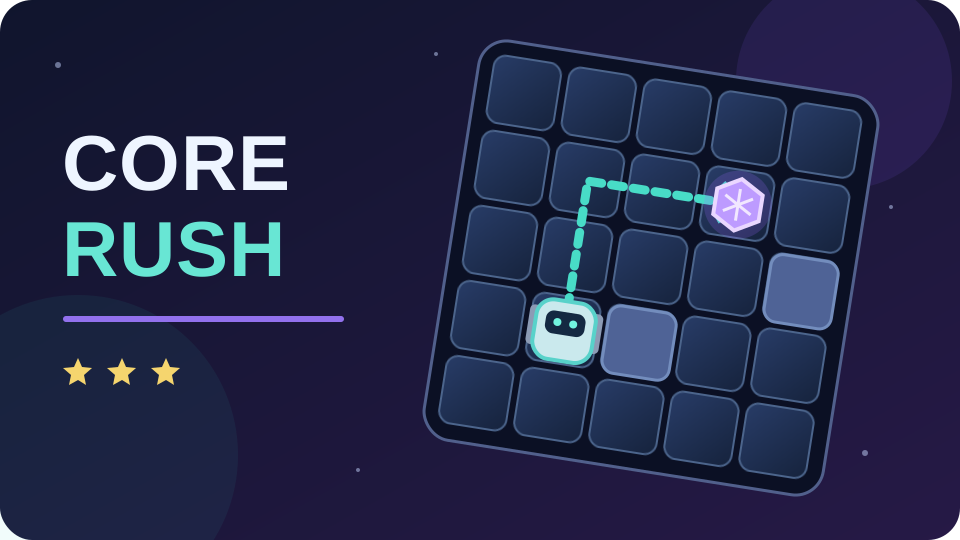
The rover keeps sliding until it reaches a barrier; releasing a key does not stop it halfway. Before moving, trace where the next wall will leave you. Collect all the room's cores, check that the exit changes from LOCKED to EXIT OPEN, then reach the exit. MOVES counts your slides; PAR is the room's target, not a countdown timer.
If a move leaves the rover in the wrong place, try UNDO or U. R restarts the room; use Esc or the pause button before leaving the game. Wait for movement and result animations to finish before making the next input. Normal publisher ads can temporarily cover the controls; wait for their normal completion instead of repeatedly clicking the game.
Room 1: First Spark
In the tested opening room, press Up to collect the single core, then Down to reach the open exit. This completed First Spark in two moves against PAR 2, with PERFECT, three stars and 85 coins. The result screen offers NEXT ROOM, REPLAY and ROOMS. These are observations from this build, not a walkthrough of all 48 rooms.
After a refresh in the same test browser, Room 2 remained unlocked, the first room kept its three-star result and the 85 coins remained. Clearing browser data or changing browsers may lose that record. Cozcade does not provide cloud-save synchronization; an account here does not back up the publisher's progress.
Undo, restart and the portrait layout
Room 2, Wall to Wall, is useful for checking how barriers change your stopping point. In our test, U reversed a slide and reduced MOVES from 1 to 0. Restart reset the room without erasing the earlier completed room. Pause and resume were checked separately from winning a level.
The game uses a tall layout. On a desktop, use full screen if the board or direction controls look too small. Publisher touch support is not a Cozcade phone certification: this release is prepared for desktop only. The publisher also advertises crates, gates and portals in later rooms; we have not verified every later mechanic or completed every room.
Before the next move
Tick a tip to focus on in your next run. This checklist does not change your game or save progress.
CORE RUSH questions
Do I need an account or a download?
No Cozcade account or download is needed. Connect to the official GameMonetize-hosted game when you want to play. The game interface we tested is English.
Why does Z not undo a move?
The publisher page lists Z, while this build's pause screen lists U. We verified U and the on-screen UNDO control. Wait until the slide finishes, then try one of those controls.
Are my rooms and stars saved across devices?
Only a same-browser refresh was checked. Room 1's three stars, 85 coins and the Room 2 unlock survived. Cloud storage, retention and synchronization across devices are unconfirmed; Cozcade does not copy or sync this progress.
What if the controls stop responding after an ad?
In one local test the controls stayed unresponsive after the ad overlay disappeared. Using Cozcade's Stop and revoke, then connecting again, restored play. This is a recovery step, not a confirmed fix to the publisher's game. If it still happens, stop the game and choose another one.
Device and progress questions
Does a Cozcade account save my CORE RUSH progress?
A favorite is a saved link to CORE RUSH, not a backup of your progress. Internal saves depend on the game's own storage. Signing in to Cozcade does not by itself transfer a board, score or lesson between browsers or devices. Use this CORE RUSH guide to check the exact edition and its instructions.
Can clearing browser data remove my CORE RUSH progress?
Removing cookies or site storage used by CORE RUSH can erase local progress. Cached files are a separate category, although browser cleanup options may remove several categories together. Check the selected data categories first. If this edition documents an export feature, save an export before clearing storage.
How can I check whether CORE RUSH works on my device?
Read the CORE RUSH controls and use the catalogue's device options before starting. A keyboard or precise pointer may be required for a particular action. This CORE RUSH guide records the scope of available checks; a successful desktop start does not establish comfortable touch play on every phone.
CORE RUSH guide: sources and edition
By Cozcade
- Current edition
- gm-l22ke63g-c5dac4242c91-20261024
The original source and current Cozcade edition are linked here. A recorded short desktop session does not establish every level, long-session stability or every phone.