 Play Cube Composer
Complete your first three puzzles
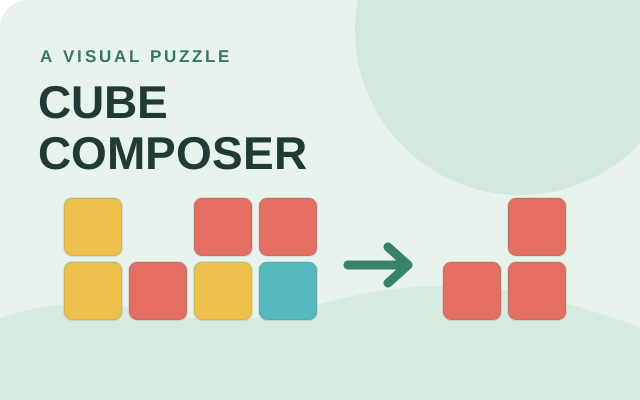
Compare Your result with Target pattern. In 0.1, add Change yellow to red; the result now matches the target. Choose Next puzzle and add Remove yellow to finish 0.2.
In 0.3, add Remove yellow and then Add yellow on top. The sequence matters: reversing those steps removes the yellow cubes you just added. The arrows beside a step let you move it; the cross removes it.
Build and adjust a program
Every function applies to the result of the preceding step. Try one function, inspect the colored columns, and add the next. Clear removes the current puzzle’s program; the Puzzle selector lets you revisit other levels.
Later chapters introduce filtering, reversing columns and grouping adjacent equal columns. Read each function name and compare the two boards after a change. A target can often require several steps.
Understand the number puzzles
In the final chapter, each three-cube column represents a number: orange is zero and brown is one. The bottom, middle and top cubes represent ones, twos and fours. Values use the first three bits, so they wrap after seven.
For puzzle 5.1, multiply each number by two and then add one. To keep a different solution for another puzzle, use the selector: each puzzle’s steps are saved separately when browser storage is available.
Puzzle-solving tips
Tick a tip to focus on in your next run. This checklist does not change your game or save progress.
Cube Composer questions
Do I need to know programming?
No. The first puzzles introduce transformations visually. The later number puzzles are more challenging but do not require you to write code.
Where is my progress saved?
The adapted game keeps puzzle programs and solved markers in local browser storage when available. Clearing browser data or switching browsers can remove access to that progress; it is not synced to a Cozcade account.
Can I play on a phone?
The layout has been checked in a simulated narrow browser viewport. Real phone and tablet devices have not yet been verified for release.
Device and progress questions
Does a Cozcade account save my Cube Composer progress?
A favorite is a saved link to Cube Composer, not a backup of your progress. Internal saves depend on the game's own storage. Signing in to Cozcade does not by itself transfer a board, score or lesson between browsers or devices. Use this Cube Composer guide to check the exact edition and its instructions.
Can clearing browser data remove my Cube Composer progress?
Removing cookies or site storage used by Cube Composer can erase local progress. Cached files are a separate category, although browser cleanup options may remove several categories together. Check the selected data categories first. If this edition documents an export feature, save an export before clearing storage.
How can I check whether Cube Composer works on my device?
Read the Cube Composer controls and use the catalogue's device options before starting. A keyboard or precise pointer may be required for a particular action. This Cube Composer guide records the scope of available checks; a successful desktop start does not establish comfortable touch play on every phone.
Cube Composer guide: sources and edition
By Cozcade
- Current edition
- a891ffe5de79-c1
The original source and current Cozcade edition are linked here. A recorded short desktop session does not establish every level, long-session stability or every phone.