Deltarune Fight Simulator is a fan-made battle practice project by puskevi at deltarunesim.com. This guide covers that independent browser version: starting a fight, moving the heart, opening the toolbox and repeating a Jevil attack. The game runs on its own website; Cozcade provides the guide here. It is a separate project from both the Scratch simulator and similarly named Roblox experiences.
Start Deltarune Fight Simulator in the browser
Open the project site and let its loading bar finish. In our desktop Chrome session, the loading image appeared before the title screen became interactive. A page that has opened is therefore not necessarily ready for game input. Once the title screen appears, click inside the game and press Z or Enter. If you have just clicked another browser tab or the address bar, return focus to the game first.
The encounter menu groups fights into categories and chapters. Our session started on the boss category with Jevil highlighted. Choose the encounter you want and confirm it. Read the selected encounter description before starting: the boss name and chapter help distinguish a familiar fight from a variant. The list changes as this beta project is updated, so a specific count of available fights is not a permanent feature guarantee.
For a first session, pick one familiar encounter rather than a chapter-wide rush. The smaller goal makes it easier to tell whether your keyboard works, whether you understand the command phase and where a difficult attack begins. You do not need a Cozcade account to read this guide, and our test used the external browser project without signing in.
Deltarune Fight Simulator controls
| Input | What to do | Check before retrying |
|---|---|---|
Z or Enter | Start from the title screen; use Z to confirm a highlighted game choice. | Wait until the title or menu is visible. |
| Arrow keys | Choose a command in menus; move the heart during an enemy attack. | The command phase and the dodge phase use the same keys differently. |
X | Back out of a menu or close a toolbox panel. | Check the current screen before pressing it repeatedly. |
Tab | Open the toolbox during a fight. | Our test showed the fight paused behind the toolbox. |
R held | Rewind recent battle time when the current mode allows it. | Rewind can report state drift; it is not guaranteed to restore every detail. |
T in practice | Restart the selected practice attack. | Use the on-screen practice instructions, rather than a shortcut from another version. |
? | Open the project’s complete key help. | Use the current project help when a shortcut changes. |
Menus do not work like the attack box. In a command menu, use short presses to select the highlighted option, then confirm it. During a dodge phase, holding a direction moves the heart continuously. Pressing an arrow while choosing a command will not dodge a future bullet. A character action can also ask for another confirmation, so follow the visible prompt instead of assuming every press completes a whole turn.
A first Jevil round: command, then dodge
In our Jevil test, the party command phase appeared before the enemy attack. We selected actions for the characters and confirmed the timed attack prompt. The game then switched to a bordered attack box containing the red heart and incoming projectiles. The left and right keys moved the heart inside that box; taking a hit reduced party health. This verifies basic battle input, not a completed Jevil victory.
Learn the difference between selecting actions and avoiding damage before trying a long winning route. Watch the active character highlight during commands. During an attack, watch a small area around the heart and the path that is opening, rather than chasing every projectile across the screen. Use short corrections when a gap is close; holding a direction for too long can carry you into a different hazard.
Your first useful target can be one repeatable improvement: identify when the attack box appears, move away from the first nearby projectile, and finish the phase with fewer hits than the previous attempt. This is a practice method, not a no-hit strategy or a promise that one fixed movement solves every Jevil pattern.
Practise one Jevil attack without replaying the whole fight
During the fight, press Tab, select the practice tab, open challenges, and choose the practice option for the current fight. In our tested menu, Jevil had a list of individual attacks. Changing the attack selector once selected Teleport ambush. We kept the displayed infinite-health and repeated-pattern options, started the practice and completed the outstanding action confirmations before the dodge phase began.
The practice overlay identified the selected attack and displayed a loop counter, hits and a streak. We observed the loop advance while the same selected attack continued. This gives you a smaller task than restarting the complete boss encounter: repeat one pattern, notice where the hit occurs and change one part of your movement. When comparing attempts, keep the same attack and practice settings.
Infinite health, skipped player turns and time controls change the challenge. The project labels easier runs as assisted. Treat a clean practice loop as evidence that you are learning that pattern, not as an unassisted boss completion. After practising, return to a normal fight to check how the pattern feels alongside the command phases and the other attacks.
Rewind warnings and a clean restart
We tested holding R during Jevil practice. The game moved back in time, but also displayed a warning that some fight state had drifted outside its snapshot. It separately noted that the projectile ghost had faded after a changed pattern. These observations matter: a rewind is a learning aid, and the visible playback may differ from a perfectly repeated original attempt.
If a rewind produces an unexpected state, use the current practice restart control and begin a fresh loop. Recheck the attack name and settings before comparing results. For a bug report, include the selected fight, practice attack, browser and the action that caused the mismatch. Avoid presenting an assisted rewind sequence as proof of a normal-game strategy.
If the game loads but the keys do nothing
Click inside the game and retry one confirmation key. Close an open search field or toolbox first. A browser shortcut, address bar or other tab can keep the keys from reaching the game. Then check whether you are still on a loading screen, choosing a party action, waiting for a timed attack confirmation or already in the dodge box. Each state expects a different action.
If loading never finishes, retry in a current browser and check whether the site’s game files are allowed by your connection. A reload can abandon the current encounter, so use it after checking focus and the visible menu. Do not disable security software or install an unrelated downloadable launcher just to follow this browser guide. The separate fight directory is useful when you are looking for the project’s own encounter pages.
Phone support, data and other versions
The project describes touch and gamepad support, but our recorded gameplay used desktop Chrome and keyboard input. We have not completed a real-phone or controller test, so the guide does not label those devices as verified. Check the project’s current device instructions before choosing a long session on a phone.
The project publishes a privacy explanation. Its own configuration includes a choice about anonymous statistics and bug reports. A Cozcade account setting does not control an external website’s reporting or storage. Review the external project’s current settings if you want to change what that site sends.
The Scratch-based simulator identifies a different creator and implementation. Its encounters and shortcuts should not be copied into instructions for puskevi’s version without testing. DELTARUNE and UNDERTALE belong to Toby Fox; the simulator states that it is unofficial. This page supplies original practical guidance and an external link, not an official release, a game-file download or a Cozcade-hosted copy.
Sources and what we actually tested
Checked on 11 October 2026: project identity and visible controls from the project site; a desktop title-to-Jevil session; command confirmations and heart movement; toolbox pause; Teleport ambush practice, loop progression, restart and a rewind warning. We did not complete the boss, test every encounter, verify persistence across devices or test a real phone. Use these steps as a dated starting point and consult the current project help if the interface changes.
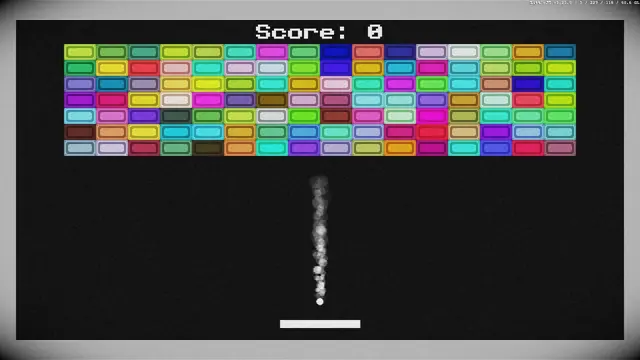
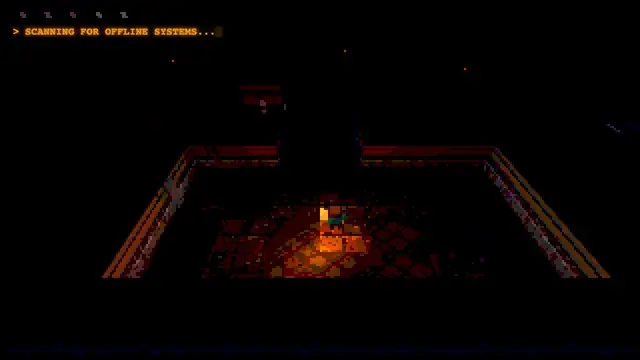
For a different kind of short browser session on Cozcade, try Underrun or Breakout. Their own guides explain the relevant controls; neither is a replacement for the DELTARUNE simulator or an imitation of its characters. You can also browse all game guides to choose a puzzle or an arcade challenge.