 Play Legiontide Army Runner
Start with the supplied browser game
Legiontide Army Runner is the GameMonetize browser release credited to Lipy Servico Digitais LTDA; the game itself shows Developed by Lipy Games. Cozcade opens that exact provider-hosted version after you choose to connect. A Cozcade account is not required. The provider may display an advertisement before Play or Retry finishes. Wait for its normal controls rather than repeatedly clicking the game button.
The checked desktop build starts in Green Meadows, Level 1. Its menu includes Play, Kingdom, Map, Ranking and Settings. This guide describes the opening run checked on 16 October 2026. The later worlds and bosses listed by the publisher have not all been completed here.
Steer and tighten your formation
The army advances automatically once a run starts. Move the mouse left or right to choose a lane, or use A/D and the Left/Right arrows. Click inside the external game before using the keyboard. Use small movements early enough to line up with a gate; sudden late corrections can send soldiers toward a hole or obstacle.
Hold the left mouse button or Shift to pull the crowd into a narrow line. Release it when you have cleared the narrow section. Watch the troop number above the group and the class counts on the side. Those are in-game units, not Cozcade points or money. A defeat does not mean the website account has lost anything.
Read gates, enemies and class powers
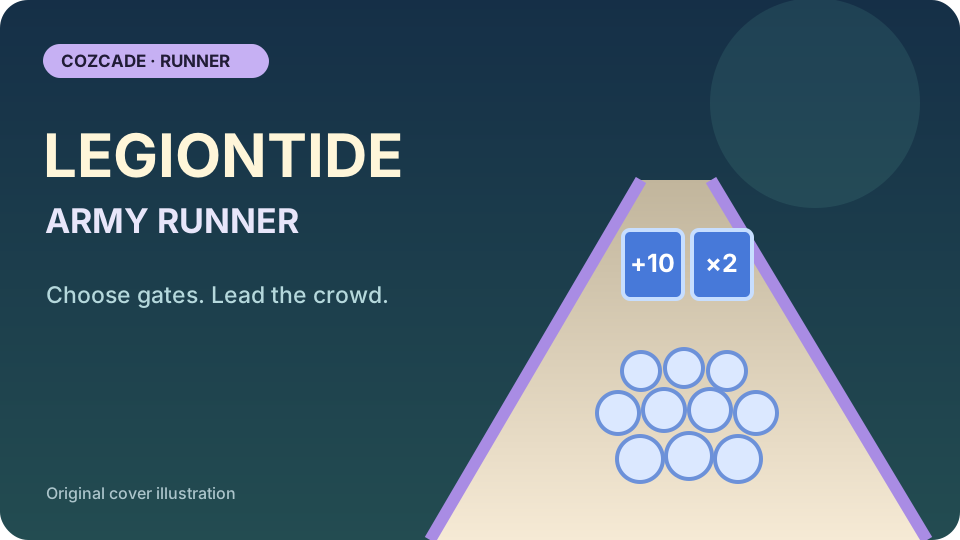
Gates can add troops, multiply the group or recruit a different class. Compare the operation with your present army before choosing a side. A useful class can matter more than a larger total. The opening tutorial warns that shields block arrows and later calls for Giant Slam against armored enemies.
Use number keys 1–4 only for powers you have unlocked; the visible buttons show which are available. We activated Shield Wall with 1 during the opening run and verified the pause and continue controls. The Space shortcut is for Golden Army when its bar is ready. Do not assume a greyed-out power is broken or keep pressing an unavailable ability.
Retry, pause and visit the kingdom
Escape opens a pause panel with Continue, Restart Level and Menu. Continue resumes the current run. Restart Level begins the level again, while Menu returns to the main choices. When the army falls, the defeat panel offers Try Again and Menu. During our first test the army reached a defeat result with 70 game coins displayed; that is a test observation, not a promised reward or a winning route.
Kingdom is a separate menu for the island and its buildings. Read each upgrade price and effect before spending game coins. The publisher describes farms and periodic raids, but their full timing, offline income and later progression have not been independently measured here. Follow the values shown by your current game rather than treating this introduction as an optimized economy plan.
Loading, saving and stopping safely
This is an external browser game with the GameMonetize SDK. Initial loading and provider advertisements can delay the transition after Play or Retry. Keep the tab visible while it opens. If keyboard controls do nothing, click the game and check whether it is paused or displaying an advertisement. Do not click an advertisement as a troubleshooting step.
The inspected browser scripts use local storage. Browser privacy settings or clearing site data can affect progress, and your Cozcade login does not synchronize the external game save. Cross-device saves and cloud retention have not been verified. Use Cozcade’s Stop and revoke control to unload the frame. Desktop keyboard play was checked; real-phone touch controls, Safari and every later level remain separate checks.
First-run tips
Tick a tip to focus on in your next run. This checklist does not change your game or save progress.
Legiontide Army Runner questions
Do I need a Cozcade account?
No. You can connect to the supplied external game without signing in. The external provider can have its own advertisements, storage and notices.
How do I move the army?
Move the mouse or use A/D and the Left/Right arrows. Hold the left mouse button or Shift to tighten the formation. Click inside the game first so it receives keyboard input.
What do the number keys and Space do?
Number keys 1–4 activate unlocked class powers. Space is Golden Army when the charge is ready. The current on-screen buttons show availability.
What happens after defeat?
The checked build shows Try Again and Menu. Retry can wait for a provider advertisement before starting. You are playing for in-game progress, not Cozcade credits or cash.
Is mobile play verified?
The publisher labels the game mobile ready, but Cozcade has not completed real-phone touch testing for this release. The first verified configuration is desktop keyboard play.
Device and progress questions
Does a Cozcade account save my Legiontide Army Runner progress?
A favorite is a saved link to Legiontide Army Runner, not a backup of your progress. Internal saves depend on the game's own storage. Signing in to Cozcade does not by itself transfer a board, score or lesson between browsers or devices. Use this Legiontide Army Runner guide to check the exact edition and its instructions.
Can clearing browser data remove my Legiontide Army Runner progress?
Removing cookies or site storage used by Legiontide Army Runner can erase local progress. Cached files are a separate category, although browser cleanup options may remove several categories together. Check the selected data categories first. If this edition documents an export feature, save an export before clearing storage.
How can I check whether Legiontide Army Runner works on my device?
Read the Legiontide Army Runner controls and use the catalogue's device options before starting. A keyboard or precise pointer may be required for a particular action. This Legiontide Army Runner guide records the scope of available checks; a successful desktop start does not establish comfortable touch play on every phone.
Legiontide Army Runner guide: sources and edition
By Cozcade
- Current edition
- gm-sxsjr5xy-a7ef3b49150-20261016
The original source and current Cozcade edition are linked here. A recorded short desktop session does not establish every level, long-session stability or every phone.