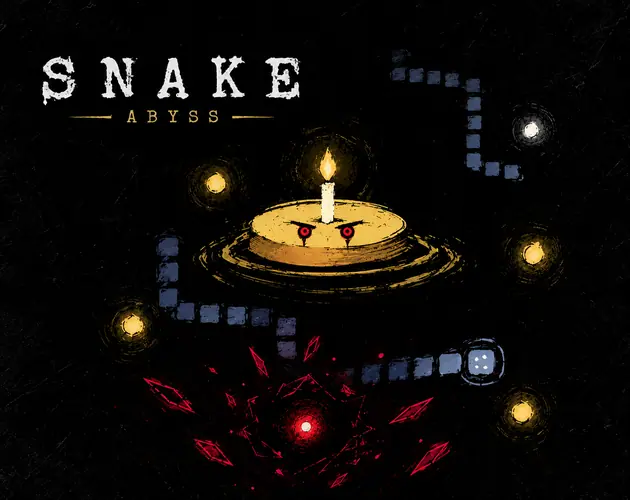
 Play SNAKE ABYSS
SNAKE ABYSS guide · Practice one safe route before chasing a score
Use a normal SNAKE ABYSS run with NO MODIFIER for this exercise. Your first goal is to recognise continuous movement and make a deliberate turn, rather than reach a particular score. Start with one direction, watch the head and plan the next corner before pressing its key. The arrow keys or WASD steer the game; clicking a food item does not send the snake there. If keyboard input reaches the page instead, click inside the player to give it focus.
Check Dangerous Edges before trying the border. With the default setting, an edge crossing wraps to the other side of the board. With hazardous borders enabled, the same route has a different risk. Pick the rule you mean to practise and keep it consistent during your comparison. A border shortcut can still lead into a tail or obstacle, so identify the destination as well as the entry point. Avoid calling every collision a wall collision when the setting is off.
For your next food item, describe a route in three parts: approach, pickup and exit. If the exit uses a square currently occupied by your tail, wait for a clearer route instead of forcing the turn. After growth, check the exit again. This habit is more useful than memorising a direction sequence, because food positions and obstacles change between runs. Measure improvement by whether you kept a route open, then compare score once control feels reliable.
Repeat the exercise over two normal runs. On the first, note one rushed turn or loss of focus. On the second, try to correct that single problem. Do not change a modifier, border rule and perk plan all at once and then conclude which change helped. A clear comparison needs the same basic conditions. Your result is an observation from your own runs, not a universal best route or a guaranteed survival time.
Use pauses and review progress without resetting a save
Pause with Space and read the protection count before resuming. The checked ordinary run began with four protective uses; the next pause after a resume showed three. This is a limited protection mechanic, not a promise that every technical pause gives a free escape. Before returning to movement, identify where the head is, choose a direction and name the next safe turn. If an overlay is partly in Russian, rely on the visible count and current board rather than guessing a new rule.
When a perk selection appears, name the difficulty you are trying to solve. A crowded route, difficulty controlling speed and a desire for more score are different needs. Compare the cards against that need, then record which option you selected and what happened. Repeated selections can strengthen a perk, but do not infer that a short successful run proves it is the strongest choice in every mode. Boss encounters and modified runs need separate practice.
After a run, distinguish its score from stored progress. A new normal run does not mean you have cleared every saved coin, unlock or preference. Read Progress controls before importing a file or resetting anything. Optional cloud saving is a separate Puter feature, and a Cozcade login is unrelated. Start this practice without enabling cloud access unless you intend to use that external service. We have checked anonymous play, not account synchronisation or boss completion.
A useful review needs only the run mode, border setting, chosen perk and one mistake to fix. Keep notes on your device; do not place private cloud account information in shared screenshots. Return through the same-language game link below when ready. Stopping the Cozcade player unloads the original game. If you later want to clear saved data, use the relevant browser or original service controls; stopping alone is not a data-deletion action.
Keep the comparison small enough to repeat. In the SNAKE ABYSS guide practice record, note the border setting, whether you used a modifier and the reason you paused. A score from Dangerous Edges is a different test from a score with wrapping enabled. When a run ends, describe the collision or blocked exit before selecting a reward-focused perk. If you cannot identify the cause, repeat the ordinary mode with one change instead of enabling several restrictions together. Use the plan below as a reminder before resuming; its result checks your preparation entries, not whether a path is safe or whether you will win.
SNAKE ABYSS guide: check your next route
Enter the number of clear turns you have planned, then check your settings and exit. This checks your own preparation; it does not inspect the live board or guarantee safety.
SNAKE ABYSS practice checklist
Tick a tip to focus on in your next run. This checklist does not change your game or save progress.
SNAKE ABYSS questions
Do I need an account to play SNAKE ABYSS?
No. Ordinary play starts anonymously. Puter cloud saves are optional and use a separate account; a Cozcade login does not sign you into that service.
Does hitting the edge always end a run?
No. Edges wrap under the default setting. Dangerous Edges changes the boundary rule; your tail and obstacles remain hazards.
Can I play SNAKE ABYSS on a phone here?
Phone play is not enabled on Cozcade yet. The author describes touch controls, but we have not completed physical-device acceptance.
Why do some instructions remain in Russian?
The checked original build has English and Russian choices, but some English-mode messages still include Russian. Cozcade does not modify the author's game.
Controls and full game instructions
Controls and full game instructions
Play SNAKE ABYSSDevice and progress questions
Does a Cozcade account save my SNAKE ABYSS progress?
A favorite is a saved link to SNAKE ABYSS, not a backup of your progress. Internal saves depend on the game's own storage. Signing in to Cozcade does not by itself transfer a board, score or lesson between browsers or devices. Use this SNAKE ABYSS guide to check the exact edition and its instructions.
Can clearing browser data remove my SNAKE ABYSS progress?
Removing cookies or site storage used by SNAKE ABYSS can erase local progress. Cached files are a separate category, although browser cleanup options may remove several categories together. Check the selected data categories first. If this edition documents an export feature, save an export before clearing storage.
How can I check whether SNAKE ABYSS works on my device?
Read the SNAKE ABYSS controls and use the catalogue's device options before starting. A keyboard or precise pointer may be required for a particular action. This SNAKE ABYSS guide records the scope of available checks; a successful desktop start does not establish comfortable touch play on every phone.
SNAKE ABYSS guide: sources and edition
By Cozcade
- Current edition
- official-live
The original source and current Cozcade edition are linked here. A recorded short desktop session does not establish every level, long-session stability or every phone.