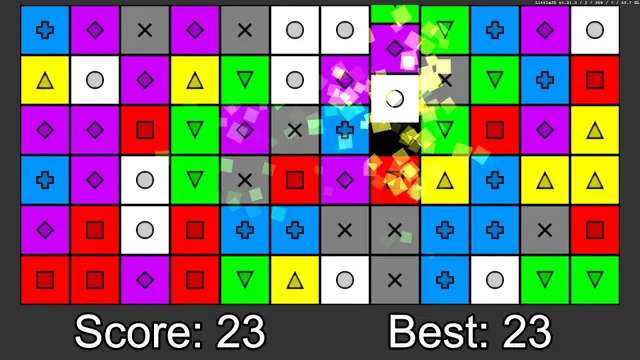
Color Match
Matching games
Best on desktopA matching game can be about neighboring swaps or arranging incoming pieces. The correct move depends on the specific board and on whether new pieces keep arriving while you think.
Matching games
Best on desktop
Puzzle games
Best on desktop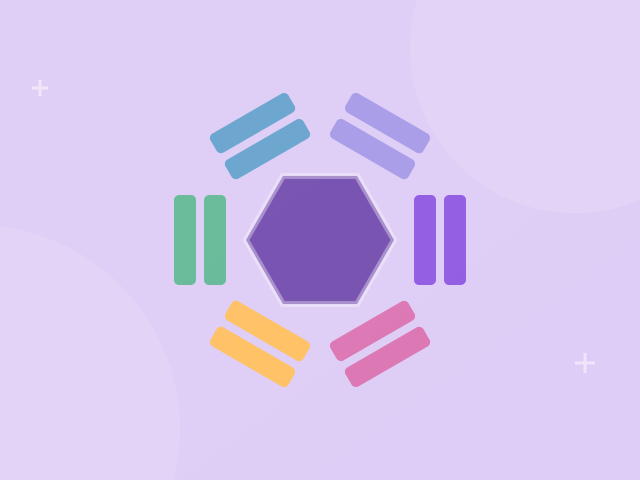
Matching games
Best on desktop
Puzzle games
Best on desktopColor Match uses neighboring swaps to build groups. Hextris rotates the receiving sides of a hexagon while blocks arrive. Read the summaries below to choose between board inspection and faster reactions.
Swap bright pieces to line up matching colors. Build combinations and chase your personal best in a relaxed match-three puzzle.
Drag a piece onto a neighboring piece to swap them. Match at least three of the same color.
Sort fish into matching tanks in Fish Sort Puzzle. Complete groups of three and keep the waiting tray clear as the available fish types change.
Click a fish inside a bubble. It moves to a tank requesting that fish type, or waits in the tray. Three matching fish complete a tank. Open the gear menu to resume, restart or return home.
Rotate a colorful hexagon to catch falling blocks. Match three colors and keep every side clear as the pace picks up.
Use left and right arrows, or tap either side, to rotate. Match three blocks of the same color.
Match colored screws to collection boxes in Screw Nuts Snap Puzzle. Choose accessible screws in a careful order and clear the stacked panels without filling every spare slot.
Click an accessible screw to remove it. Fill each same-color box with three screws. Spare slots hold unmatched pieces. Open the pause menu to restart or resume.
Puzzle games reward reading a situation and making a deliberate change. Some ask you to merge numbers, others to recognize colors or plan a route. Start with a game whose controls and pace match the kind of challenge you want.
Number puzzles use values as the pieces of a spatial problem. Read the merge rule before playing: addition, matching and doubling are different mechanics, and a visual resemblance does not make two games equivalent.
Color Match and Hextris both use color relationships, but their decisions happen in different spaces. In Color Match, you inspect neighboring pieces and choose a swap that forms a group. In Hextris, blocks arrive at a rotating hexagon, so the receiving side and available space matter as you react. If you prefer looking over a board before choosing, start with Color Match. If you enjoy responding to incoming pieces, try Hextris. Read the edition's controls before starting and do not assume the same tap or drag works in both. A matching game category describes a shared idea, not a single interchangeable rule set. The individual game pages explain the actual match condition and input.
A visible resemblance is only part of a matching rule. Pieces may need to be neighbors, form a group of a certain size or line up on the receiving side of a board. Color Match uses a swap with a neighboring piece and a group of at least three of the same color. Hextris asks you to rotate and catch blocks while making groups of three. Before treating a result as a bug, compare the arrangement with the instructions for the game you opened. If the controls themselves do not work, focus the play area and confirm the listed device support. Report a reproducible problem with the game URL and your input steps rather than applying a rule from another matching game.
Change one decision rather than every part of your play at once. For a swap-based board, compare the board before and after one chosen swap and note which neighboring pieces created the group. For an incoming-block game, watch the side where space was lost and compare a different receiving choice on the next run. Score alone does not tell you whether a decision was good: a later cascade or a different incoming block can affect the result. The matching game guides offer exercises and a short checklist for choosing a focus. Use those prompts to describe what happened in your own attempt, then return to the same edition to test a revised choice. They do not automatically modify the board or save your progress.