Pixel Platformer
Platform games
Best on desktopPlatform games turn movement into a route through a playfield. Check the jump controls and look at the landing area before committing to a gap.
Pixel Platformer includes destructible terrain, so the route can change during a run. Its documented desktop controls use movement keys and mouse aiming. Touch support, where published, is listed on the game page rather than assumed from the category name.
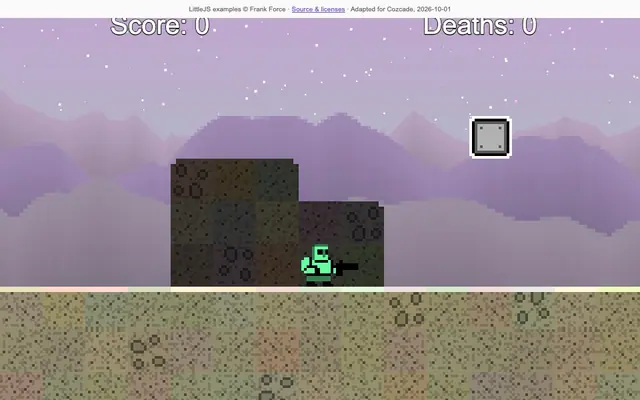
Jump through a colorful world with destructible terrain. Explore the platforms and learn the rhythm of each leap.
Move left/right with arrows or A/D. Jump with Up or W. Shoot with the left mouse button or Z in the direction you face. Click inside the game first. Desktop is verified; touch gameplay is not yet verified.
Arcade games turn a small set of controls into a repeating skill challenge. Timing a jump, returning a ball and placing a falling block feel different even when each game can be started quickly.
Runner games keep the scene moving and ask you to respond at the right moment. Early inputs can be as troublesome as late ones; the useful cue is often the distance to the next obstacle.
Pixel Platformer combines movement and jumping with destructible terrain. That makes the current shape of the playfield part of a route decision: a place you could cross earlier may change during the run. Look at the intended landing area and the visible terrain before committing to a jump. The platform game label does not mean every title is a side-scrolling course with identical movement. Compare the actual description and controls for the edition listed. If you prefer a scene that moves automatically and a smaller input set, runner games offer a different kind of timing challenge. Choose the category by how much route control you want, then use the individual game's instructions to learn its movement and other actions.
No category-wide assumption is reliable. The listed Pixel Platformer edition has verified desktop controls; touch gameplay is not yet verified. Its game page describes movement, jumping and shooting, including the direction the shot follows. A game opening in a mobile browser is not proof that its controls are playable on that device. Use the desktop and mobile support labels for the edition you want to play. If a keyboard action appears to do nothing, click inside the play area and try the documented key before diagnosing a fault. If you are using a phone, select a title with verified mobile support rather than repeatedly pressing a cover image. Cozcade's page language and a vendor game's input requirements are separate facts.
Separate the start of the jump, its movement through the air and the landing. First ask whether the intended input registered. Then compare the distance to the landing place and any terrain change that affected the route. In a game with destructible terrain, it is useful to review the current scene instead of relying only on a route that worked in an earlier attempt. Avoid changing every movement choice at once: repeat a small section with one different decision, when the game permits, and observe the result. The platform game guide offers prompts for this kind of review rather than an automatic completion tool. Return to the playable edition to test a tip, and describe the exact game URL and steps if an input consistently fails.