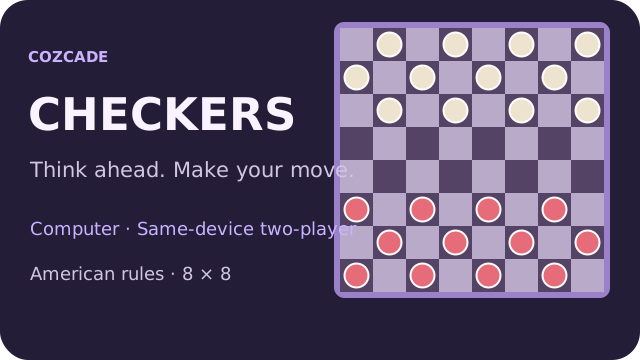
Start a Checkers match on Cozcade
Choose Vs computer or Two players · same device, then press New game. In computer mode you play the Red pieces and move first. Select Easy, Medium or Hard before starting. The two-player mode lets two people take alternating turns on one phone, tablet or computer; it does not connect a second device or create an online room.
Click or tap one of your pieces, then a highlighted destination. Only playable dark squares accept moves. Keyboard players can Tab onto the board, use the arrow keys to move focus between playable squares, and press Enter or Space to select. Piece labels include their color, king status and square so color is not the only way to identify them.
Legal moves and mandatory captures
This edition uses an 8 × 8 American/English board with twelve pieces per side. An uncrowned piece moves one square diagonally forward to an empty dark square. It captures by jumping diagonally forward over an adjacent opponent into the empty square immediately beyond. A normal piece cannot move or capture backward.
When any of your pieces can capture, an ordinary move is unavailable. If several capturing routes exist, you may choose any legal route; the game does not require the route with the most captures. Select a capturing piece and follow the highlighted landing squares. A new landing may reveal another required jump with that same piece.
Finish a chain and crown a king
A multiple capture is one complete turn. Continue with the same piece until no further jump is available. The board shows the route as you select it, but the turn and its save are committed only when the route finishes. Cancel selection or Escape returns to the position before this unfinished turn; it does not let you switch to another piece midway through a committed chain.
Reaching the far row crowns a king and ends the turn immediately, including when the piece arrives by capturing. It cannot turn around and continue as a king in that same turn. On later turns a king can move one square diagonally forward or backward, and can jump in either direction. Kings do not fly across several empty squares. The crown symbol distinguishes a king from an ordinary piece.
Computer practice, undo and a first plan
The three computer settings change a bounded local search. Hard searches further when the device can finish within its work budget; it is a practice opponent, not a rated engine or a promise of tournament strength. Search runs in a Web Worker to keep board controls responsive and sends no position to an AI service.
Before committing a move, look for a mandatory jump on both sides. Check the opponent’s next landing square rather than counting only the piece you can take now. Keep nearby pieces able to support each other and notice when a trade opens a path to the far row. Use Undo to compare a different choice: computer mode returns to your previous Red turn, removing a reply if it has already happened; same-device mode takes back one completed turn.
Wins, casual draws and pausing
You win when the opponent has no legal move on their turn, whether all their pieces were captured or the remaining pieces are blocked. A completed match displays the winning color. This edition has no match clock, ranking, prizes or online matchmaking.
For a casual browser match, the game automatically draws when the same board and side to move occur three times, or when each side has taken forty turns without a capture or a move by an uncrowned piece. A capture or a normal piece’s move resets that progress counter. The WCDF tournament rules use referee claims; this automatic handling is a clearly stated convenience of this edition, not a tournament adjudication service. Pause suspends computer work; switching away from the tab also pauses. Press Resume to continue.
Saved matches, devices and loading help
Completed turns and the current mode and difficulty are stored under a Checkers-specific key in this browser. On a later visit press Resume to continue. All Cozcade interface languages use the same saved match. There is no cloud synchronization or connection to your account: a different device, private browsing session or cleared browser storage may not have that save. If storage is blocked, a notice explains that play can continue without persistence.
New game replaces the current save after an explicit confirmation when turns already exist. A partial jump is not saved; after leaving the page, the game returns to the last completed turn. If the computer reports a failure, Resume retries its turn once; you can instead start a same-device match. If the board never opens, use the portal’s normal retry and check that scripts are allowed. This game has no third-party fonts, advertising SDK, audio downloads or tracking. The movement reference is the World Checkers/Draughts Federation’s English rules: https://wcdf.net/rules/rules_of_checkers_english.pdf .
A short practice checklist
- Check for mandatory captures before choosing a normal move.
- Complete the selected chain; promotion ends that turn.
- Compare an alternative with Undo rather than rushing repeated moves.
- Use a new same-device match to practice both colors.
- Resume only after checking which color is to move.
Checkers questions
Can I play Checkers without signing in?
Yes. Computer practice and same-device two-player matches require no Cozcade account. The match save belongs to this browser.
Can I play a friend on another device?
This edition offers same-device two-player play. It does not have private online rooms or remote multiplayer.
Why can I not make an ordinary move?
If a capture is available anywhere for your side, you must choose a legal capture. The highlighted squares guide the current route.
Can a normal piece capture backward?
No, in this American/English edition men move and capture forward. Crowned kings can move and capture diagonally in either direction.
Does a new king keep capturing immediately?
No. Reaching the far row ends the turn, including during a capture. The new king can use backward moves on its next turn.
Why is my saved game not on another phone?
Completed turns save locally on the browser used to play. There is no account or cloud synchronization. Cleared or unavailable browser storage may also remove the saved match.