Radiant Optimizer games usually refers to the browser-game links shared by the RadiantOpti account, rather than a game running inside the Windows optimizer. This guide checks that particular list and helps you choose a project, understand its requirements and avoid confusing similar names. The source post and its 25-entry reply are the reference points.
The 25 entries include separate maps, alternate versions and a directory. They are not 25 independent games verified to work on every device. Our table separates observed project pages, projects that require your own files, unresolved entries and links whose current destination needs checking. External projects open on their own websites; the Cozcade game suggestions at the end use our own playable pages.
Radiant Optimizer games: which entries were checked?
We reviewed all 25 source entries and made a deeper desktop browser check of the Zombies map selector, Surfd and QuakeWorld. QuakeWorld loaded a live multiplayer scene and its in-game menu. Surfd loaded Boreas; Zombies downloaded Kino der Toten and reached its start prompt. Mouse capture was blocked in our automated browser for the latter two, so their full movement and combat remain unverified. The checks below are dated 11 October 2026.
25 of 25 source entries shown
| Source entry | Actual project or important distinction | Preparation / current check | Next step |
|---|---|---|---|
| 1 · BO1 Zombies | vel.gg Zombies map selector; 10 map links observed. | Kino downloaded and reached the start prompt; mouse capture blocked in our test. | Open project site |
| 2 · Moon | Separate pages.dev entry; not proof about the vel.gg Moon map. | Observed redirect page; destination not validated. | Hold this entry; use the checked selector instead. |
| 3 · Kino der Toten | Separate pages.dev entry; distinct from vel.gg Kino. | Observed redirect page; destination not validated. | Hold this entry; use the checked selector instead. |
| 4 · BO3 Cheese Cube | Separate pages.dev link. | Observed redirect page; no validated game launch. | Entry held for source review. |
| 5 · Black Ops 2 | Exact current implementation not confirmed. | Our source check could not establish a usable page. | Await a direct project check. |
| 6 · Modern Warfare 2 | Exact current implementation not confirmed. | Our source check could not establish a usable page. | Await a direct project check. |
| 7 · Skate 3 | The page identifies itself as a fan game. | Original EA game and fan project are different; gameplay untested. | Read project page |
| 8 · Skate Rust | Source link opens the TERRORDOTNET community. | A precise Skate game path has not been established. | No direct game button yet. |
| 9 · CS Surf | Surfd, an independent Source-style surf project. | Boreas loaded; desktop keyboard and mouse; capture blocked in our test. | Open Surfd |
| 10 · Halo CE | Mitchell Hynes browser project. | Requires your own Xbox XISO; setup checked, gameplay untested. | Read setup page |
| 11 · Halo CE mobile | HCEMobile, a separate fan project. | Requires your own ISO/XISO; mobile controls are a project claim. | Read setup page |
| 12 · PES 6 | Unofficial browser project, not a Konami page. | Page describes WebGL2 and game-data loading; gameplay untested. | Read project page |
| 13 · GTA 5 | Source short link resolves to an archived playgta5.com page. | Archive displayed a cross-origin-isolation warning; playable scope unverified. | No verified game launch; source post retained. |
| 14 · GTA Vice City | joncodeofficial browser client. | Setup requires a legitimate copy and local game.tar.gz; gameplay untested. | Read project setup |
| 15 · Simpsons: Hit & Run | The linked page identifies a WASM project. | Only loading state established; file and gameplay requirements unresolved. | Await a direct project check. |
| 16 · Quake 1 | QuakeWorld multiplayer at pieter.com. | Live scene and in-game menu loaded; not a full match test. | Open QuakeWorld |
| 17 · Quake 2 | Quake II multiplayer project. | Project page checked; launch and controls not tested. | Read project page |
| 18 · Quake 3 | Quake III multiplayer project. | Project claims mobile/gamepad support; no real-device test. | Read project page |
| 19 · Return to Castle Wolfenstein | Unofficial multiplayer preservation project. | Project describes a large initial download and desktop Chrome. | Read project page |
| 20 · Unreal Tournament | Linked page is actually Urban Terror by FrozenSand. | Do not treat this as Unreal Tournament; launch untested. | Read Urban Terror page |
| 21 · Half Life | Pixelsuft Xash3D project. | Resource rights and setup requirements need further confirmation. | Source review pending; no game launch recommendation. |
| 22 · Half Life / CS 1.6 | WebXash project. | Your own valve/cstrike folders or archive required. | Read creator README |
| 23 · Diablo | Linked page is titled Diablo Web. | File requirements and a working launch not established. | Await a direct project check. |
| 24 · Hedgewars | Source points to webwars.link. | Project identity and a working launch not established. | Await a direct project check. |
| 25 · More GTA / Minecraft | Short link resolves to the WASM Arcade directory. | A collection, not one game; individual rights and requirements differ. | Read directory information |
Choose by the preparation you actually have
For a quick first check, choose a project with a visible browser launch and readable controls. That still involves downloading assets into the browser: “no installer” does not mean “no data transfer.” Leave one large loading page open, watch its progress and try basic input only after the game reaches an interactive screen. Opening several 3D games together can make it harder to identify whether a delay is loading, rendering or a server connection.
If a project asks for your own game files, read the required format before opening a file picker. A Halo Xbox XISO, an HCEMobile ISO and a Vice City game.tar.gz are different inputs. A familiar game name does not make their files interchangeable. Keep your original files and follow the relevant project’s setup; this guide does not supply game data or direct you to an unverified archive download.
If you only have a phone, look for a project’s explicit touch instructions and then test a short session. A responsive page or a launch button is not evidence that aiming, keyboard commands and menus work on touch. Our deeper checks used desktop Chrome. Mobile claims in the table remain claims until a real device has been tested.
Surfd: from the map menu to a first run
Open Surfd and use its solo map selection to choose a course. In our session, Boreas was selected while the map was loading. Once the status changed to ready, joining the map displayed its name, course information and a guest run at zero time. The route is a surfing course, not the full Counter-Strike game. A separate sign-in option is shown for saved ranked times; a guest can reach the run setup without creating an account.
The project’s instructions explain moving with keyboard controls and steering with the mouse. On a ramp, stop holding forward and use the strafe key toward the ramp face, with gradual turns. Start by recognising the green start area and the finish marker. A short practice target is staying on one ramp and recovering after a fall, rather than chasing a leaderboard time before learning how steering changes your line.
In our automated session, the map rendered but the browser did not provide valid pointer lock. We therefore verified the menu and map load, not successful surfing movement. In a normal desktop session, click the game’s play control after the map is ready and use its own menu if the pointer does not capture. The Surfd controls and reference and project terms describe its implementation and conditions.
BO1 Zombies: map selection is only the first step
The vel.gg selector presented ten separate map links. We chose Kino der Toten and observed a second download progress stage before the start button appeared. This is why a map selector should not be described as ten successfully tested maps. The selector also offers a high-round setting; leave it off for a first check so an extreme challenge does not obscure whether basic movement and firing work.
At the Kino start prompt, our browser reported that its root document was not valid for pointer lock. That is a concrete limit of this automated test, not evidence that the whole project is unavailable to ordinary Chrome users. Check the same project in a normal desktop window, wait for loading to finish and click its start control. We have not verified every map, a complete round or mobile controls.
The similarly named Moon and Kino pages.dev links are separate source entries. Their observed redirect does not establish the status of vel.gg’s Moon or Kino maps. When a shared link changes destination, do not carry its old title into a new play recommendation. The table retains the source context while using the directly checked selector for project navigation.
QuakeWorld and the mistaken Unreal Tournament entry
At q1.pieter.com, entering a player name and choosing play loaded a multiplayer scene in our browser. The game responded to Escape by showing its in-game menu. The server scene was active, but we did not complete a match or verify every control. This is QuakeWorld multiplayer: it should not be sold to the reader as a tested complete single-player Quake campaign.
The Quake II and Quake III links lead to related multiplayer project pages, but a working QuakeWorld session does not validate those other engines. The publisher labels these projects unofficial and non-commercial. Cozcade links to the project information here; public availability is not a commercial embedding license or permission to copy its assets.
The list’s Unreal Tournament link goes to ut.pieter.com, whose page identifies Urban Terror and FrozenSand. We correct the name because the letters in a subdomain are weaker evidence than the project’s own title and credits. A player looking for Unreal Tournament should not be routed into Urban Terror under an incorrect label.
Files, archives and browser loading failures
The Vice City short link resolved to the joncodeofficial setup page. It asks for locally imported game data and identifies the need for a legitimate copy. Without that preparation, a disabled start control is expected. The two Halo setups similarly need user-owned files; neither should have an unconditional “play now” promise. Check the original project’s file format and available storage before a large import.
The GTA 5 short link resolved to an Internet Archive snapshot of playgta5.com. The page displayed a cross-origin-isolation warning and a stalled early loading state in our check. An archive preserving a page does not guarantee that its browser runtime, worker headers or game assets remain usable. We do not describe that link as a verified full GTA 5 browser edition.
If a game page loads but input fails, first identify the current state: downloading assets, waiting for a player-name entry, requesting a file, opening a menu or attempting mouse capture. Retry the action that matches that state. Keep the browser’s protections enabled. For a project-specific report, note the exact URL, date, browser, last visible message and the action you attempted.
What can you play on Cozcade instead?
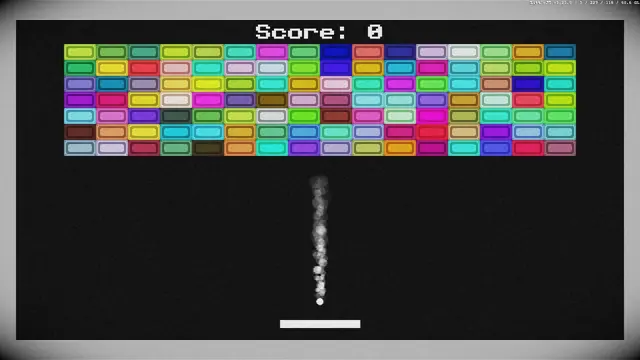
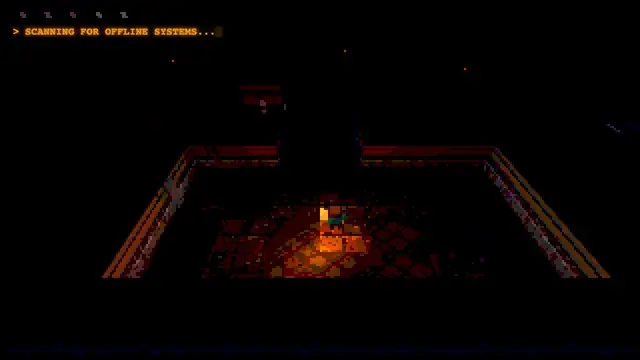
For games that start on Cozcade, try Underrun for a keyboard action session, Dino for a short timing challenge, or Breakout for an arcade round. These links point to different games with their own controls and guides; they are not mirrors of the external projects above. The short-break selection helps you choose from our existing collection.
For another external project with a tested practice workflow, see our Deltarune Fight Simulator guide. It explains menu focus, a Jevil practice loop and a rewind warning observed in a desktop session. The shared purpose is useful launch and learning help, rather than repeating a large list without checking what its buttons do.
Sources, permissions and update scope
The original RadiantOpti post establishes which entries were shared. Individual project pages establish their current identity and stated requirements; our recorded browser checks establish only the interactions described above. A source-check failure is not proof that a site is permanently down. We keep unresolved entries visible as unresolved, so a familiar title does not conceal a missing verification step.
No project in this list has been added to Cozcade as an embedded game on the basis of this article. The page uses original text and source links, without copied covers or game packages. Commercial embedding, game assets and advertising conditions require their own permission checks. When a project changes, we update the specific entry and its evidence; a newly checked link does not renew the test date for every other game.